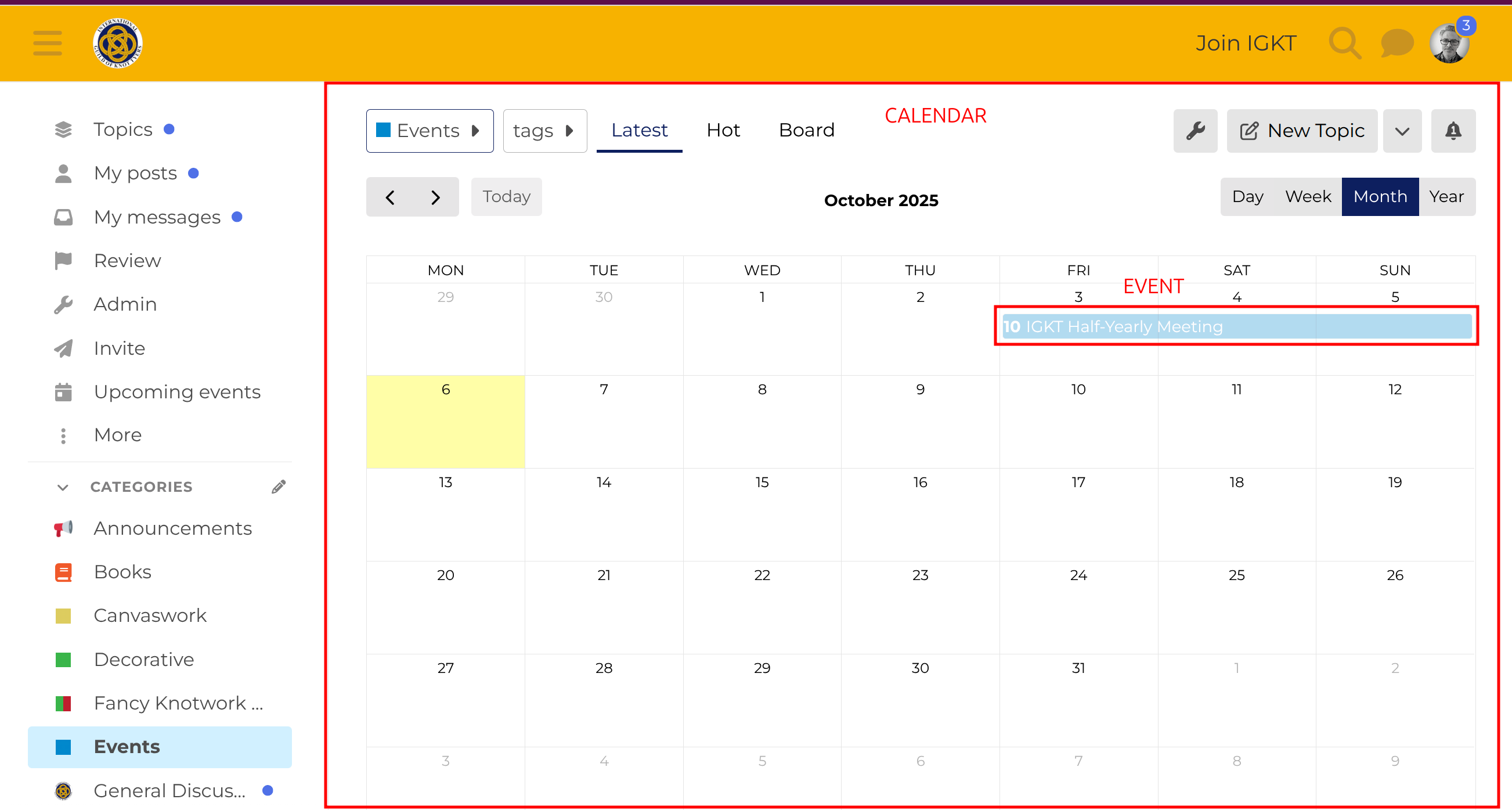
Here’s a quick guide for users on how to create an Event. If done correctly, the event will show in the calendar view which is at the top of the Events category.
[!tip] Why use Discourse for IGKT Events?
The advantage of using the forum for our Events is that we can share out the work of listing events across a number of people including IGKT council members, Branch leaders, and other individuals. With the main website, editing is only possible by a small number of people and giving more people editing access would potentially risk accidental/unintended changes to the website.
Creating an event
-
To create an Event in the Events category you need to be added to the @events-creation group. If you go here you can request membership of that group. If you have any problems contact @pacharanero
-
Go to the Events category (clicking on this → Events will take you there)
-
Click on the New Topic button in the top right of the page.
-
This will open the Composer view, which looks like this:
-
Add your Event Title, which ideally should include full event date including year, as this makes it easy for people to see when the event is happening and including the year prevents future confusion.
-
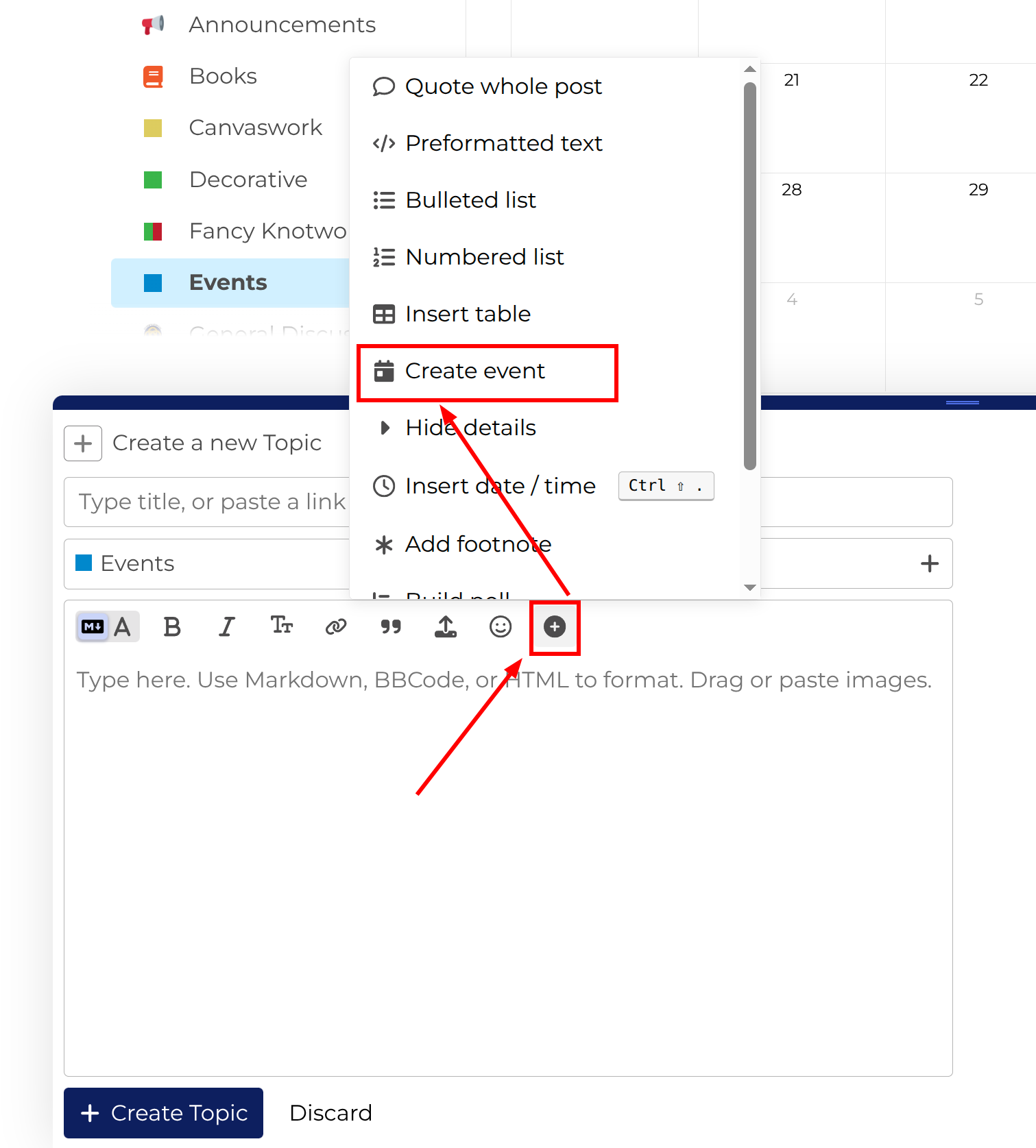
Click on the
 icon, which brings up a menu of extra features.
-
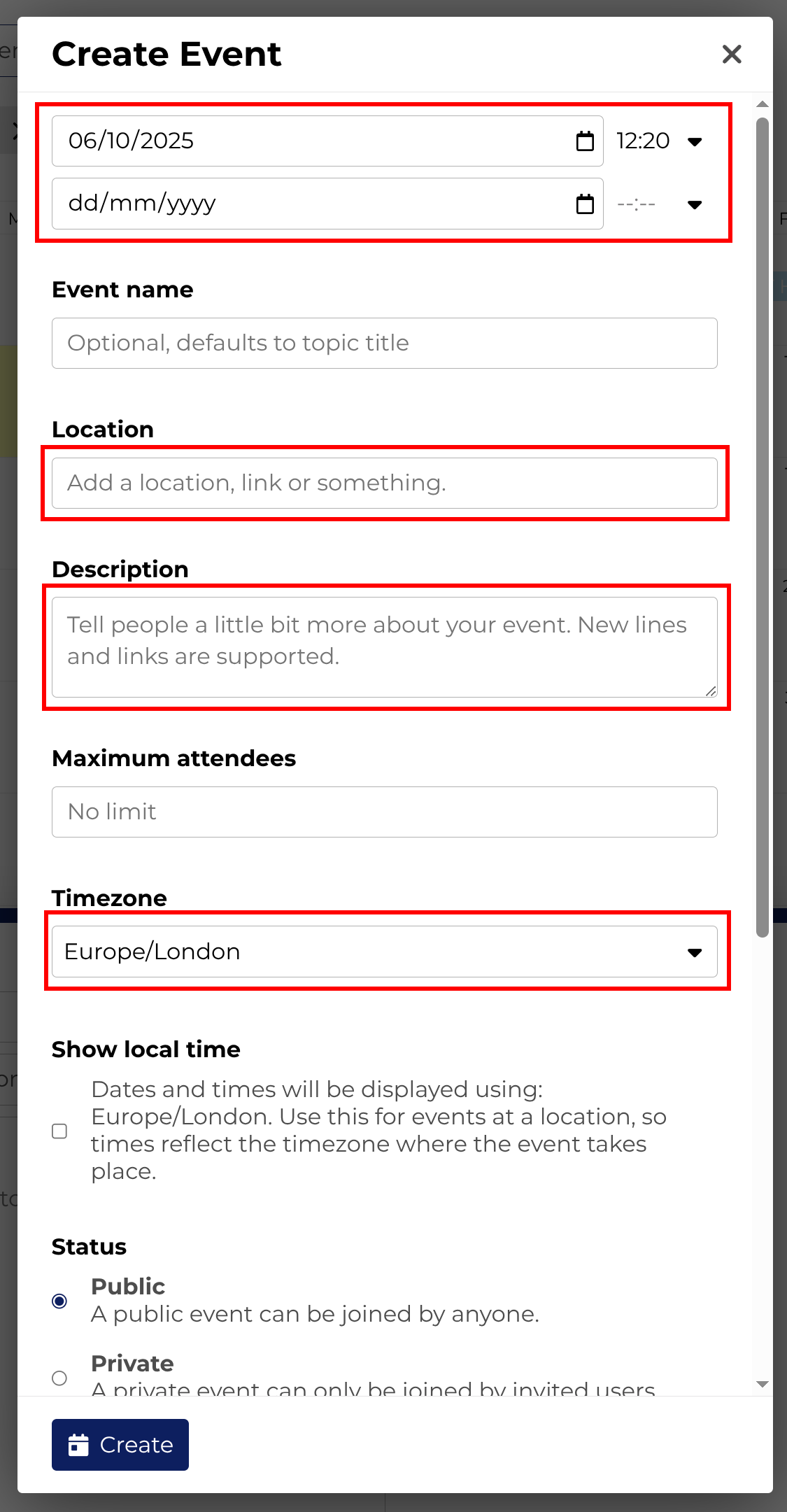
Click ‘Create event’, which brings up an Event dialog box:
Most of the fields are self-explanatory. To maximise attendance, ensure you have got as much detail in here as possible.Make everything as easy as possible for attendees by including all necessary info links to further information (eg booking links) and really ‘sell’ the event!
Include location links to Google Maps to make it easy for attendees to find the event, plan their travel, etc.
-
Click Create to save the event data to the Composer.
-
Add any further information you want to add to your Topic (an Event is still a normal forum topic as well)
-
Click Create Topic to post the event topic.

Example
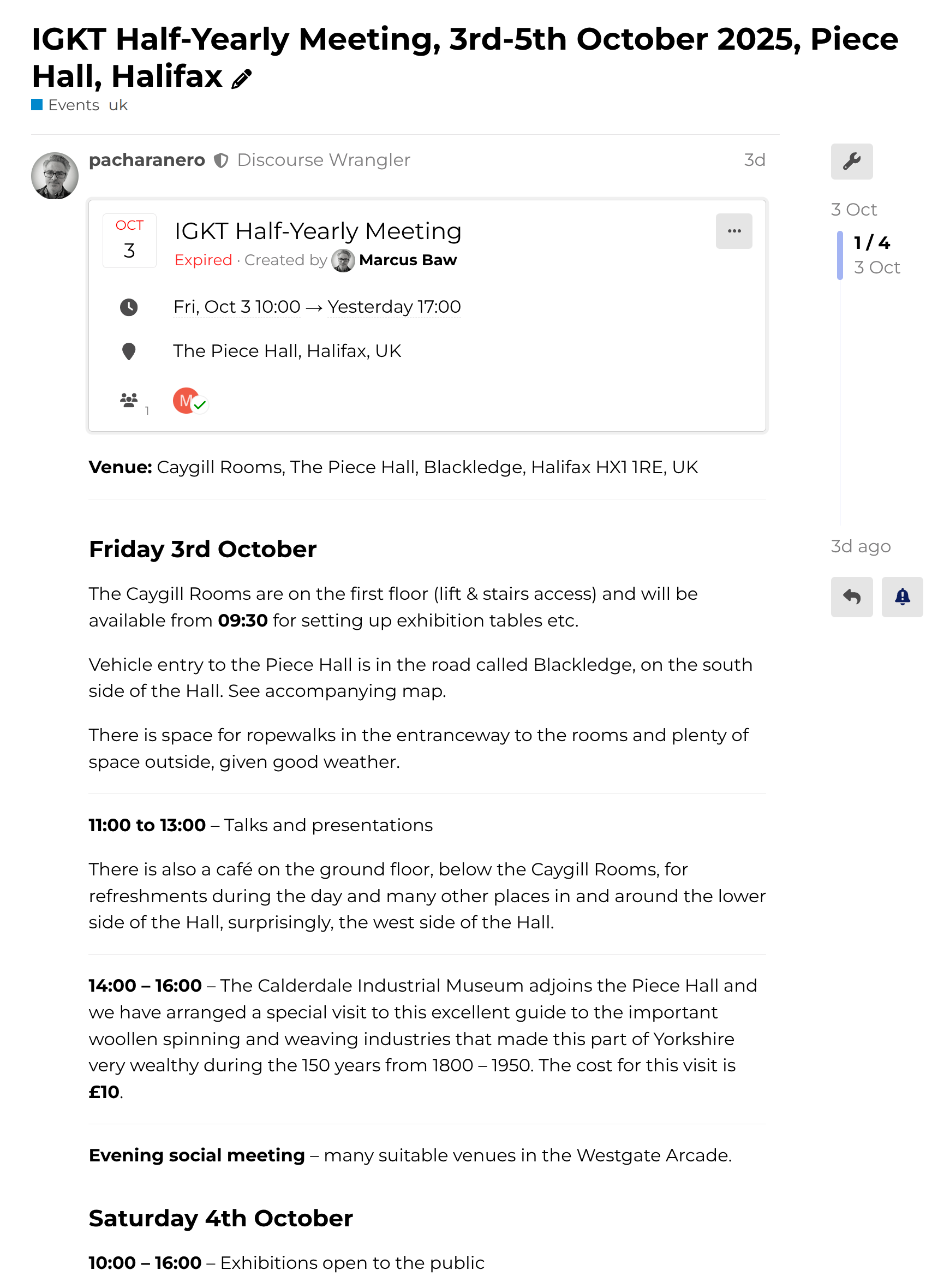
Here’s an example of a past event which I created, which shows how the event is displayed when you have created it.
Before the Event
Because Events are sill just normal forum topics, you can reply to that first post with additional updates for attendees, new information, or more details.
During and After the Event
As you can see from the IGKT Half-Yearly Meeting, 3rd-5th October 2025, Piece Hall, Halifax event, attendees were able to post photos from the event while it was taking place, which helps to create a lovely record of each event for the future.
If there were PDFs, powerpoints, Word docs or other useful educational materials from the event, they can be uploaded to the topic, where everyone can see them. (If you want only the event’s attendees to be able to receive these, this is possible, contact @pacharanero to show you how this can be done. In general it’s more inclusive simply to post them for everyone to use)
Link to the next event
If an event is part of a series (eg annual AGMs, monthly meetups), then when you create the next one in the series, it’s worth going back to the previous event and adding a link to the new event, this will ensure that everyone who was watching the last Event topic will see the link to the new Event topic.